DocSend Alternative for Freelancers: What You Need When You Work Alone
On DocSend, a confirmed viewer email, named recipients and an NDA before viewing start at $150 a month. What a freelancer working alone needs, and what it costs.
The short answer
DocSend is built for sales teams, fundraising and deal rooms. If you work alone, the features most freelancers look for, such as confirming who the viewer is, limiting a link to named people and asking for an NDA first, start on DocSend Advanced at $150 a month, billed yearly, with 3 users included. SignToSee covers those for one person: confirmed email on every plan, named recipients on Share at €4.99 a month, and an NDA before viewing on Sign at €14.99 a month, both billed yearly.
A note before you read: we make SignToSee, so keep that in mind. Every DocSend price and feature below comes from DocSend’s own pricing page, checked on 17 November 2026. Where DocSend is the better choice, we say so.
How freelancers end up on DocSend’s pricing page
You send a proposal and hear nothing for a week. Did they read it, or is it sitting unopened in their inbox? You search for a way to see whether someone opened a PDF, and DocSend is one of the first names that comes up.
Then you open the pricing page. The plans are per user, the headline promises to help you close deals, and the features you actually came for sit on the plan that costs $150 a month. That isn’t a trick. DocSend is simply built for a different kind of customer, and it’s worth knowing which one before you decide.
Who DocSend is built for
DocSend is part of Dropbox, and it is built for people who share documents to close a deal: founders sending a pitch deck to investors, sales teams following up on proposals, and companies running due diligence in a data room. Its plans are designed around that work. You get analytics on how each document is viewed, team folders, CRM integrations, and data rooms where a buyer or investor can go through dozens of files.
For that job it’s a strong product. A freelancer sending a proposal, a set of concepts or a brand presentation is doing something smaller and more personal, and that’s where the fit starts to slip.
What DocSend does well
Before comparing, it’s fair to say what you get with DocSend that you won’t get with us:
- Detailed engagement analytics. DocSend shows how each document is viewed, with a dashboard per visit and per visitor. SignToSee deliberately doesn’t record which pages someone read or for how long.
- Electronic signatures for contracts. Personal includes 4 signature requests a month and Standard includes unlimited ones. SignToSee doesn’t do contract signing.
- Data rooms. Advanced includes lightweight data rooms, and the new Advanced Data Rooms plan ($180 a month) adds due diligence tracking and data room analytics.
- A new screenshot setting on Advanced, listed by DocSend as new. SignToSee doesn’t offer anything like it.
- Team features and integrations, such as shared folders, team management and Salesforce (as a paid add-on).
If any of these is central to your work, DocSend is probably the right tool and the rest of this article matters less.
Three situations, and which plan each one needs
Most freelancers don’t need a data room. They need to send work at a few specific moments. Here is what each one takes on DocSend and on SignToSee.
1. Sending a proposal and knowing it was opened
On DocSend Personal ($10 a month, billed yearly) you get document analytics and an unlimited number of visitors, which covers the basics. The viewer’s email isn’t confirmed on that plan, though: email authentication for visitors starts on Advanced. Your own branding starts on Standard, at $45 per user a month.
On SignToSee, every plan confirms the viewer’s email with a one-time code, including Free, and you get an email when the link is opened. Your logo and colour start on Share at €4.99 a month.
2. Sharing concepts before the deal, only with named people
When you send concepts before a contract is signed, you usually want only the people you name to open them. On DocSend, allow and block lists for visitors are part of Advanced, at $150 a month.
On SignToSee, limiting a link to named email addresses is part of Share, at €4.99 a month. You can also let each person open a link only once, and add their email as a watermark.
3. Pitching to a big brand with an NDA first
Some clients, and some kinds of work, call for an NDA before anything is shown. On DocSend, NDAs and other agreements to accept before viewing are part of Advanced, at $150 a month.
On SignToSee, your client accepts your NDA before the file opens on the Sign plan, at €14.99 a month. You both receive the signed agreement as a PDF, and you can download the access log. One limit to know: the NDA works on uploaded files. A link to a Figma or Drive page gets the email check, not the NDA.
The same jobs, per year, for one person
| Job | DocSend | SignToSee |
|---|---|---|
| Viewer’s email confirmed | $1,800 (Advanced) | €0 (Free) |
| Your own branding | $540 (Standard) | €59.88 (Share) |
| Only named people can open | $1,800 (Advanced) | €59.88 (Share) |
| NDA before viewing | $1,800 (Advanced) | €179.88 (Sign) |
Yearly prices on yearly billing, in the currency each company lists. DocSend from its pricing page; SignToSee excluding VAT. Both checked 17 November 2026.
One detail behind these numbers: DocSend Advanced includes 3 users. If you work alone, you pay for two seats you won’t use. That’s not a flaw in DocSend, it’s a sign of who the plan was designed for.
What you give up if you switch
Switching to SignToSee means doing without a few things, and it’s better to know them now:
- No reading analytics. We record who opened a link and when, not what they read or for how long.
- No contract signing. For a quote or a freelance agreement that both sides sign, use an e-signature tool.
- No data rooms and no team seats. SignToSee is built for one person.
- Nothing against screenshots. Nothing can undo what someone has already seen, and we don’t claim otherwise.
- Less storage: from 10 MB on Free to 30 GB on Sign+.
So DocSend remains the better choice if you raise money, run a sales team, share files with a team, or want detailed analytics on how your documents are read. If you send your own work to your own clients, most of what you’d pay for at DocSend would go unused.
What it looks like in SignToSee
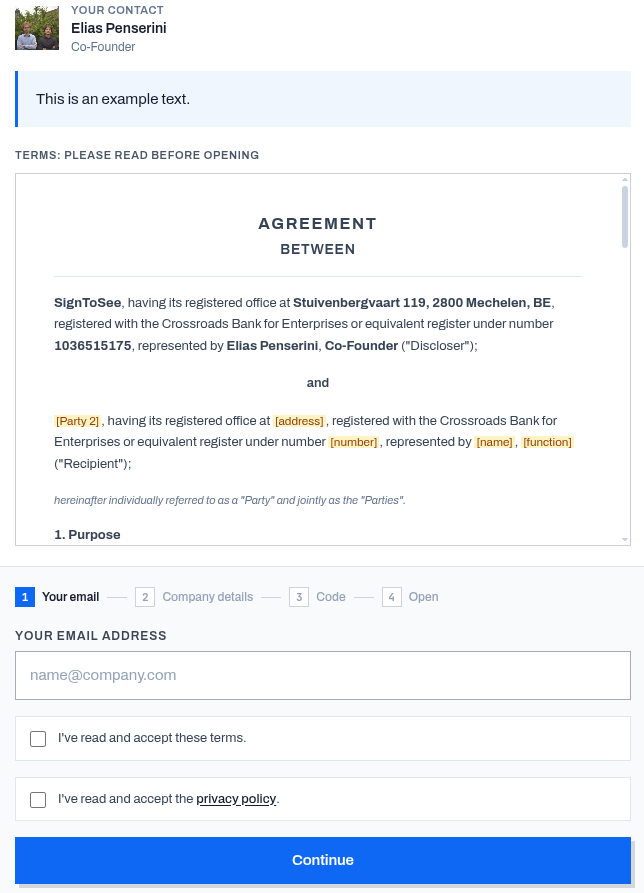
Your client opens a link with your name and a short note on it.
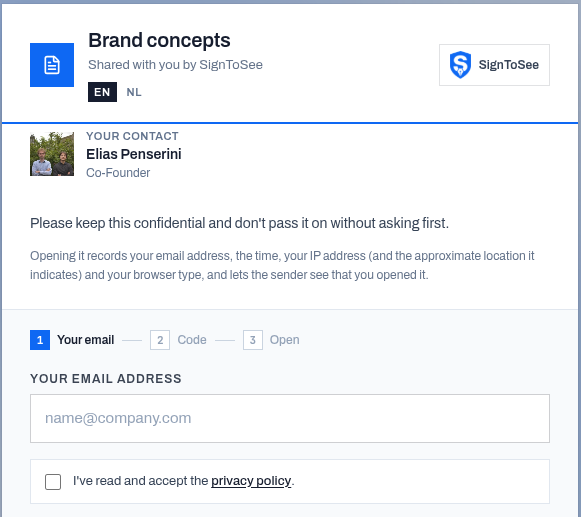
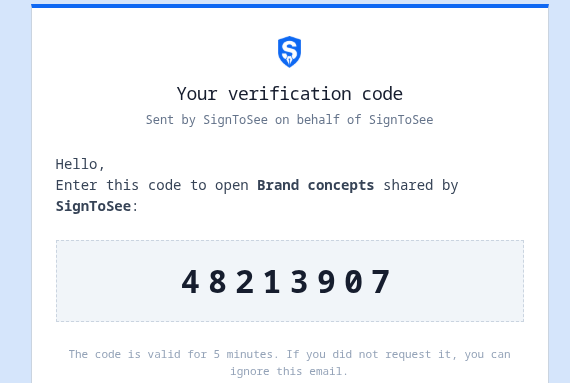
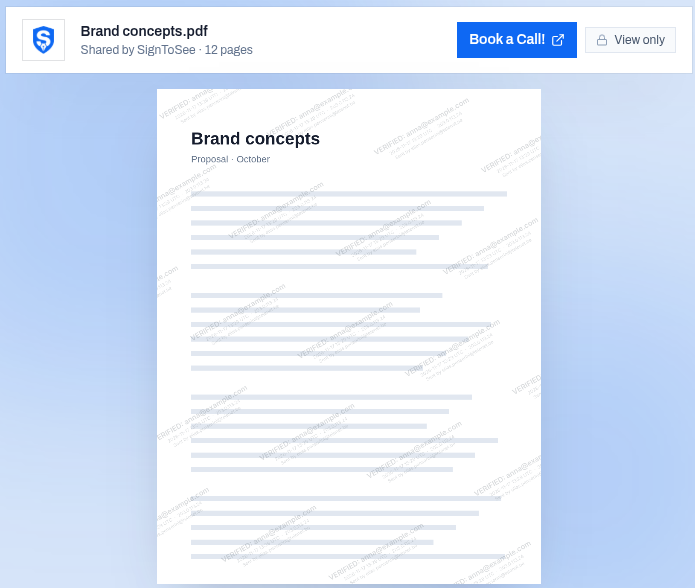
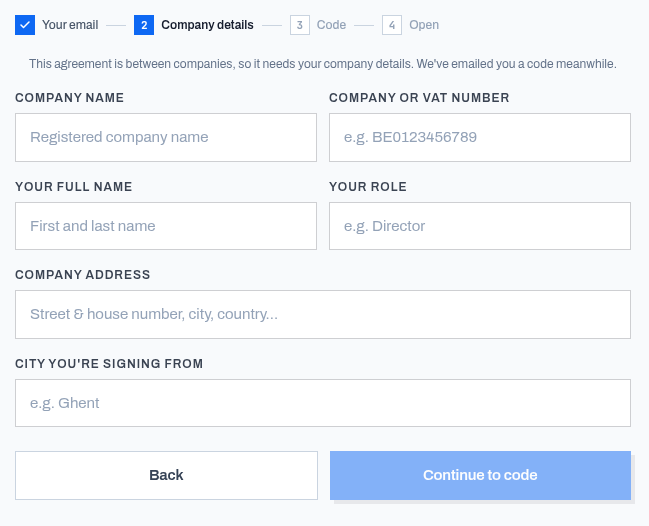
They type their email address and the code we send them, and the work opens in their browser. They don’t need an account.
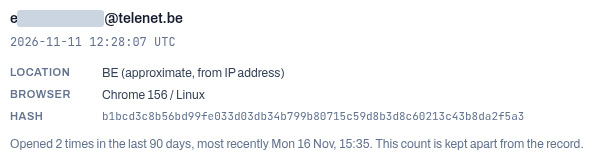
In your dashboard, each link shows who opened it and when, confirmed by their own inbox. The first open is written to a record with the email address, the time and a fingerprint of the file.
On Sign, your NDA sits on the same page, and the file only opens after your client accepts it.
Your file is encrypted in your browser before it’s uploaded, so we can’t open it, and SignToSee is hosted in the EU on Scaleway infrastructure. All plans are on our pricing page.
Frequently asked questions
Does DocSend have a free plan?
No free plan is listed on DocSend’s pricing page, but the Help Center does say that you automatically get a 14-day trial of the “Advanced Data Rooms” plan when you sign up with DocSend.
Is there a cheaper DocSend alternative for one person?
For an NDA before viewing, SignToSee Sign costs €179.88 a year, against $1,800 for DocSend Advanced. For tracking without an NDA, Papermark and Peony both had free plans (with limits) when we compared 12 tools in October 2026; see our comparison for the details.
Does SignToSee show which pages were read?
No, SignToSee records who opened a link and when, but not which pages they read or for how long.
Is accepting an NDA by click valid in the EU?
Accepting terms by click is a simple electronic signature under eIDAS, and a court can’t dismiss it only because it’s electronic. How much weight it carries depends on the case. We explain what the regulation says in Is a Click-to-Accept Signature Valid in the EU?, and for your own situation, ask a lawyer.
Where is my data hosted?
SignToSee is hosted in the EU, on Scaleway infrastructure. For DocSend, check its data processing terms.
Final remark
DocSend is a good tool for the job it was built for. If your job is sending your own work to your own clients, start with something sized for one person.
Sources
- DocSend plans and pricing, checked 17 November 2026
- SignToSee plans
Continue reading
Send Work to Clients: WeTransfer, DocSend, DocuSign and 9 More Compared (Oct 2026)
WeTransfer, DocSend, Papermark, DocuSign and more: which fits which job when you send work to a client, and what each costs for one person (Oct 2026).
The Client Who Said She Never Received the Logo Designs
A client viewed a designer's logo concepts, praised them, then filed a PayPal “item not received” dispute. What settled it, and what freelancers can take from it.
Ready to stop sending bare links?
A link with your name on it, and a record of who opened it and when. It's free to start.
Start on the Free plan. No credit card required.